ED MISSION OPERATOR v0.1.0 · Windows 10/11 100% local

A companion tool for Elite Dangerous commanders

A mission HUD
with a voice.

A small always-on-top panel that reads your Player Journal live: mission cards with objectives and timers, a proactive operator that nudges you when you stall, an AI wingman answering over local neural voices, trade and exobiology leads — and a space-opera chronicle written from what you actually did. Everything runs on your machine.

⬇ DOWNLOAD FOR WINDOWS ED-Mission-Operator-0.1.0-setup.exe · 131 MB · no admin needed

Free hobby project. Two offline voices included. AI features optional.

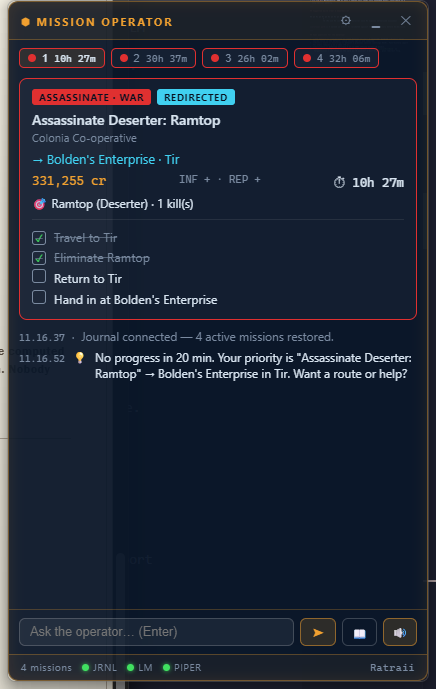
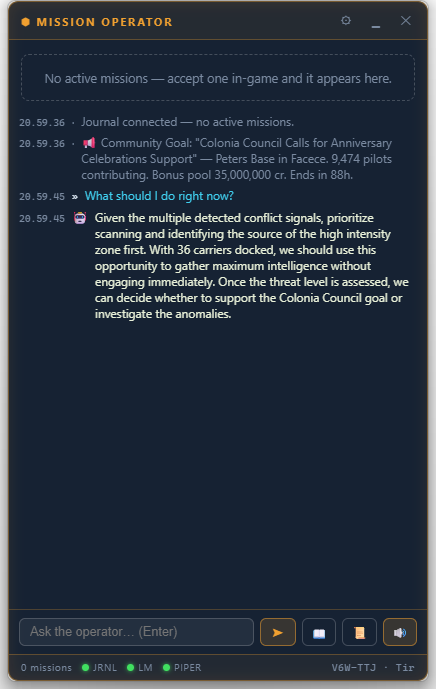
The Mission Operator HUD showing four active missions, an assassination card with objectives and a live countdown
Live — four missions restored from the journal · click to enlarge
01

What it does

module manifest
A

Live mission tracking

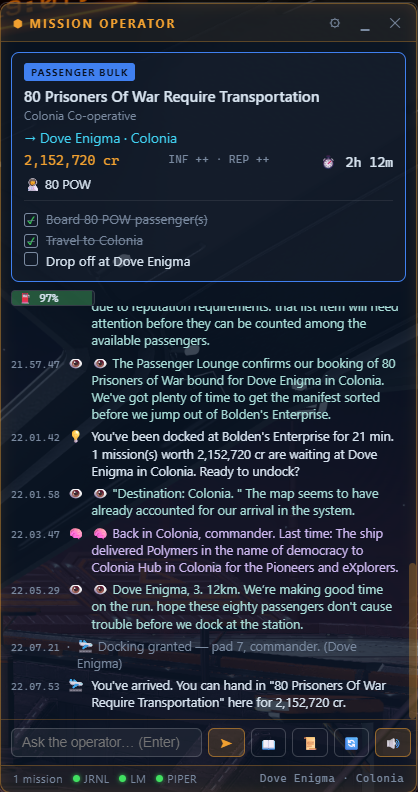
Reads the game's own journal files as you play. Cards show category, destination, reward, kill and cargo counters, gift commodities for VIPs, and a synthesized objective checklist the game never gives you — with live expiry timers.

B

Proactive heartbeat

The operator notices when you stall: docked too long with hand-ins waiting, parked in a kill system without engaging, a contract about to expire. It tells you — out loud — and names the actual RES site or Nav Beacon it detected in-system.

C

AI operator (optional)

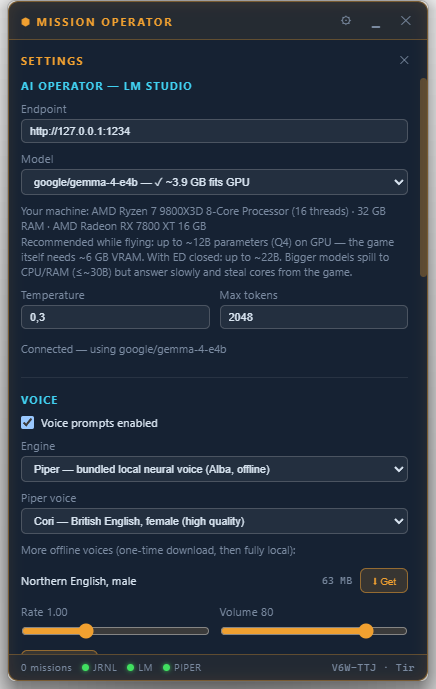
Hook up the free LM Studio and ask anything — "what should I do first?" gets an answer grounded in your real missions, system intel and expiry order. A built-in advisor reads your PC's RAM and GPU and tells you which models actually fit.

D

Offline neural voices

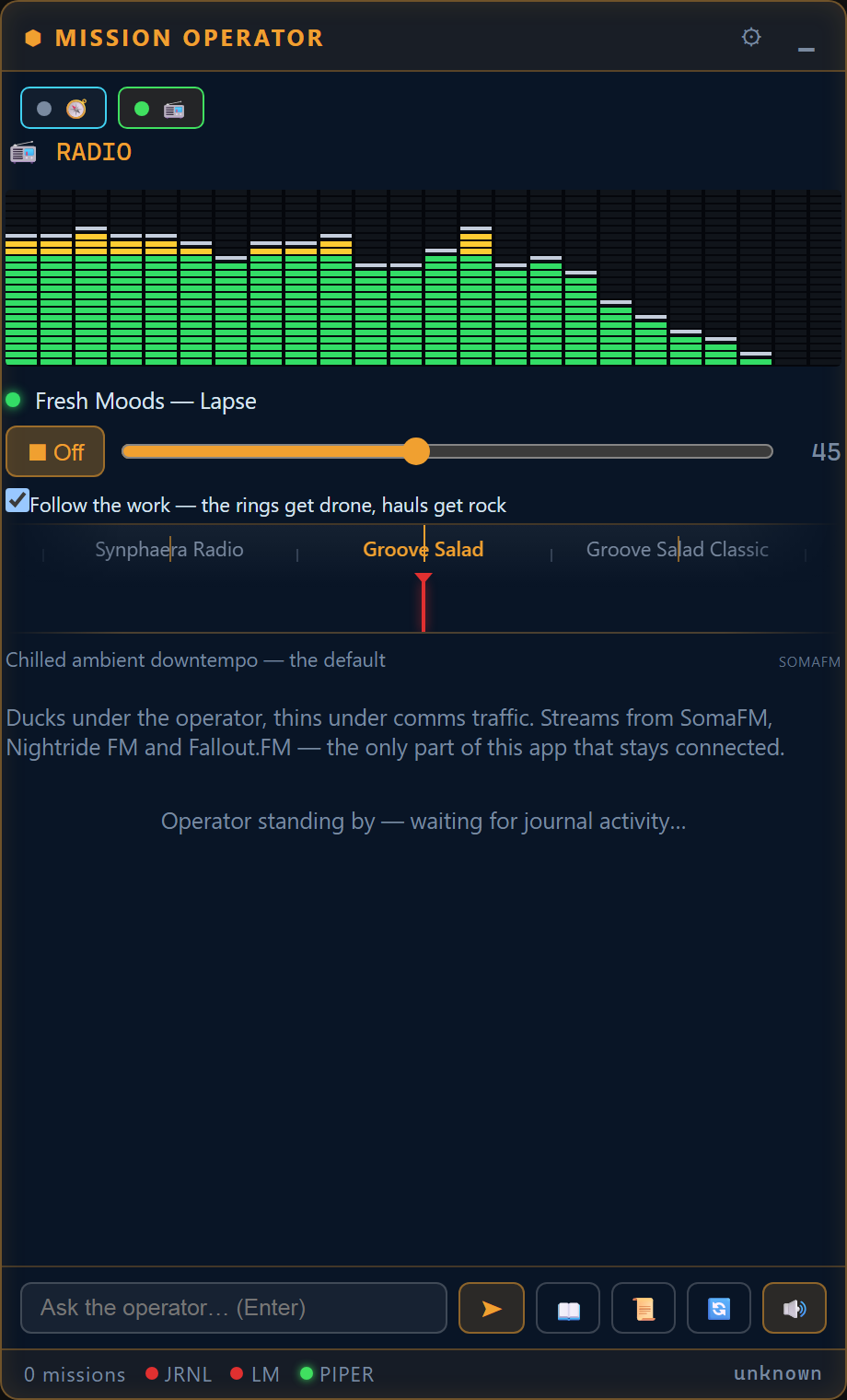
Two bundled Piper voices speak briefings, warnings and stories — no cloud, ever. Six more voices are a one-click download away. Text never leaves your machine.

E

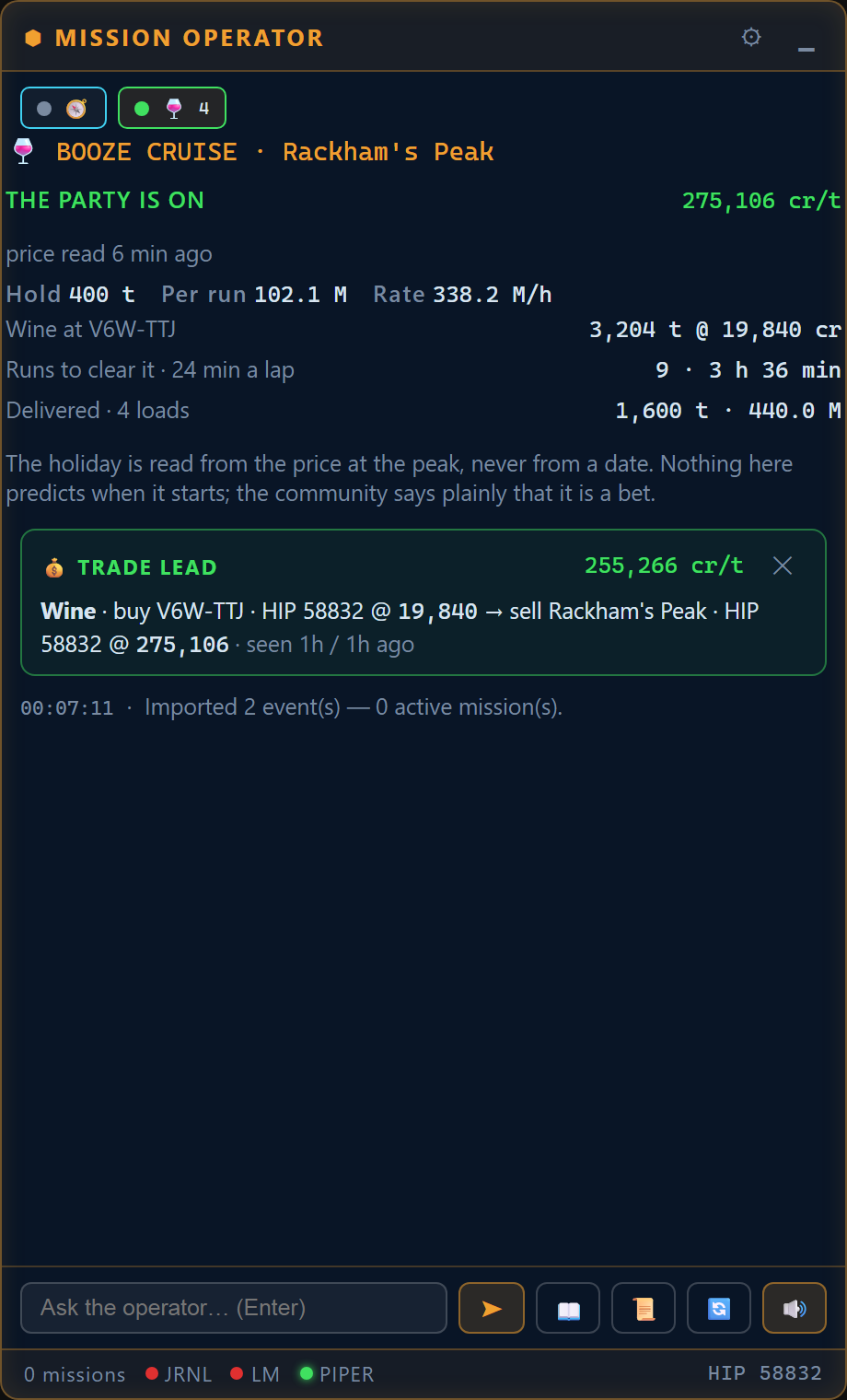
Trade & exobio leads

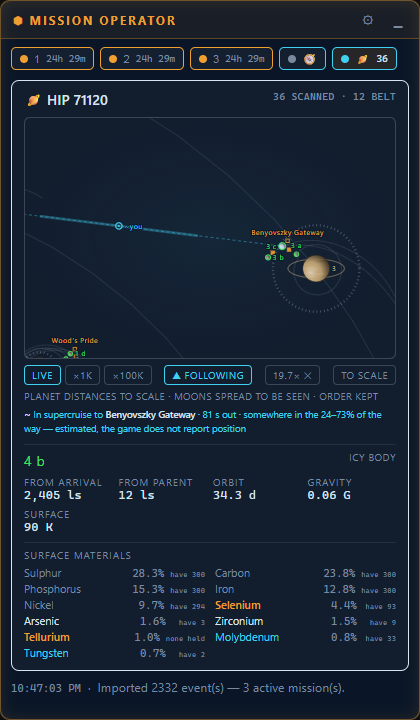
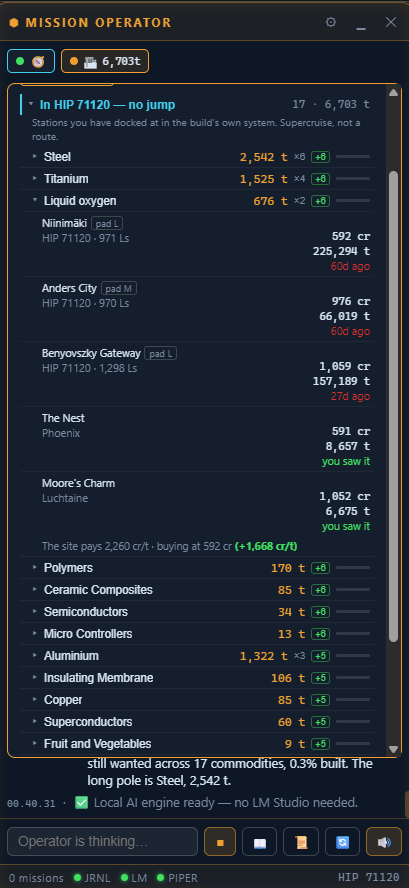
Every commodities market you open is remembered; when a buy-low / sell-high spread clears your threshold, a dismissible trade lead card appears. Same for planets with bio signals you haven't sampled — unclaimed Vista Genomics money, tracked. An opt-in route planner (community data via Spansh) finds profitable multi-hop runs from your current station, sized to your actual cargo hold — and keeps the next waypoint on your clipboard: jump in, and the following system is already copied for a quick Ctrl+V in the galaxy map.

F

The Saga

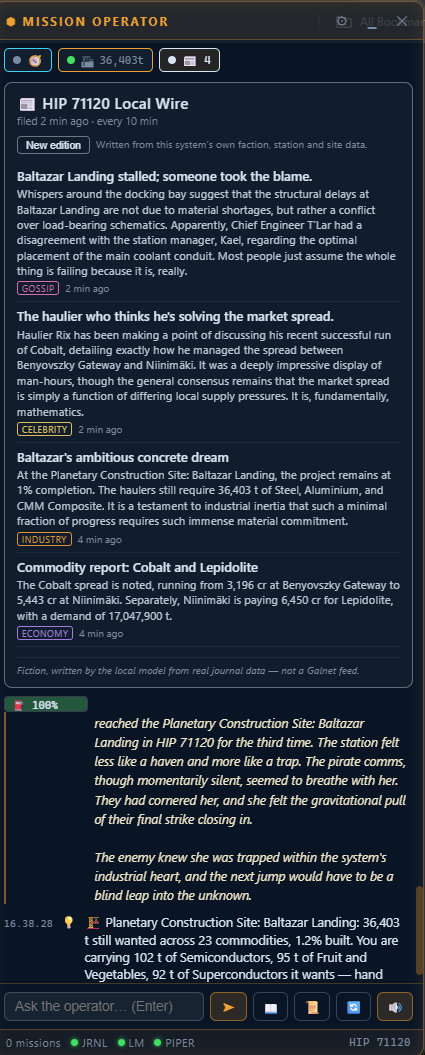
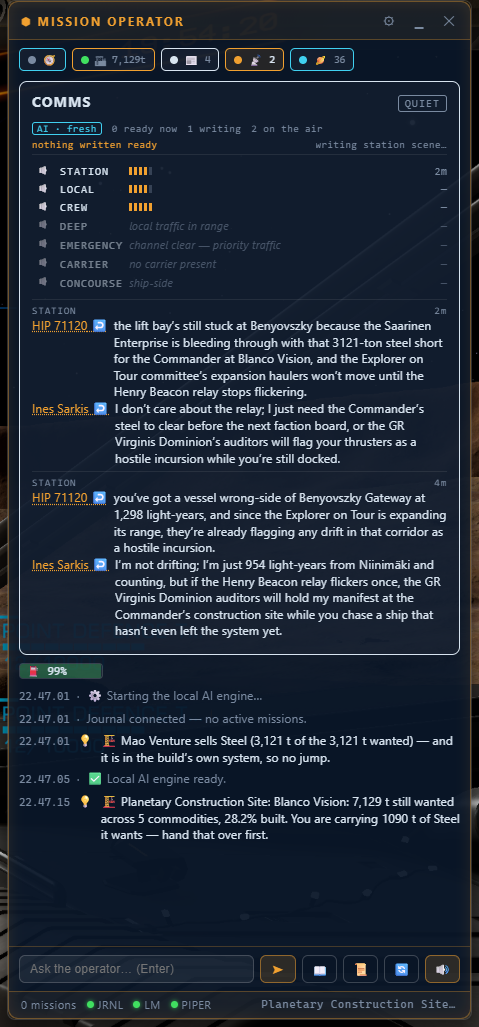
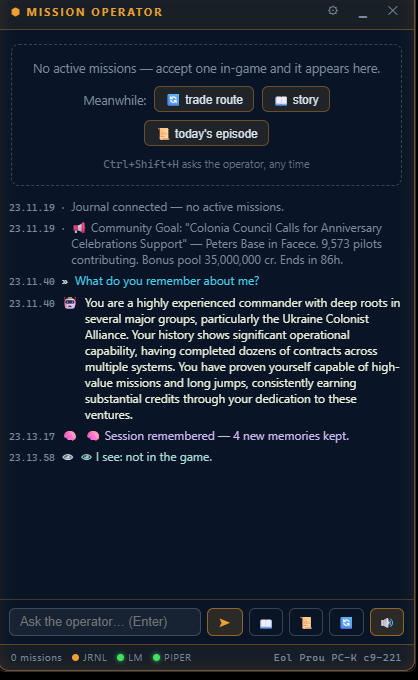
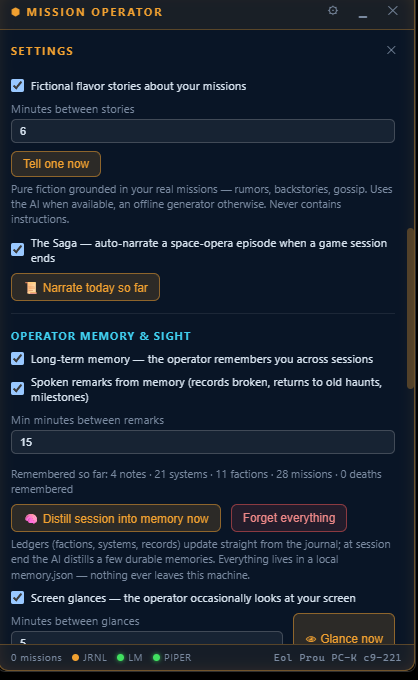
When you log off, the operator narrates your session as a numbered space-opera episode — real events, real credits, real names, with continuity from the previous chapter and a cliffhanger for the next. Plus in-flight scuttlebutt about your passengers and the places on your route.

02

On screen

flight recordings — click any shot to enlarge
03

Requirements

pre-flight
System
Windows 10 / 11, 64-bitinstalls per-user — no admin rights
Game
Elite Dangerous (any edition)run in Borderless window mode
Disk
≈ 400 MBapp + two offline voices
For the AI (optional)
LM Studio, freeany GPU helps; the app advises what fits
04

Installation — step by step

novice friendly

Download the installer

Click the download button above — you get a single file, ED-Mission-Operator-0.1.0-setup.exe (about 131 MB — it carries the offline voices). Your browser may ask where to save it; Downloads is fine.

Run it — and get past the blue warning

Double-click the downloaded file. Windows will very likely show a blue "Windows protected your PC" screen. That's SmartScreen being cautious about a small hobby app that isn't code-signed — not a virus detection.

SmartScreen — what to click Click "More info" (small text, middle of the dialog) → then the "Run anyway" button appears. Click it.

The installer needs no choices and no administrator password — it installs only for your user account and starts the app when done.

Meet the HUD

A small dark panel appears and floats above other windows — that's the operator. Drag it by its title bar to wherever suits your cockpit. It reads "Journal connected" at the bottom when it has found your game files (automatic — no setup needed if Elite has ever run on this PC).

Start Elite Dangerous — in Borderless mode

In the game: Options → Graphics → Display → Borderless (a true Fullscreen display hides all overlays — this is a Windows rule, not the app's). Your active missions appear on the HUD by themselves; accept a new one at any mission board and the operator will introduce it, out loud.

Optional — give the operator a brain (the AI)

Everything above works without this. For AI answers and richer stories, install the free LM Studio from lmstudio.ai, then inside LM Studio:

  • Open the Discover (magnifying glass) tab and download a model:
  • Modest PC / 4–6 GB graphics card → Gemma 4 E4B
  • Gaming PC / 8–16 GB graphics card → Gemma 4 12B QAT
  • Load the model (top bar), and you're done — the default server settings are correct.

The HUD's LM dot turns green when it finds LM Studio. Unsure what your PC can run? Open the HUD's Settings ⚙ — it reads your RAM and graphics card and marks every model ✓ fits or ⚠ too big.

Voices & taste

The operator speaks out of the box (Alba, a Scottish neural voice — fully offline). In Settings ⚙ you can switch to the bundled male voice, download six more with one click, adjust rate and volume, tune how chatty the storytelling is — or mute everything with the 🔊 button.

If you ever want it gone

Windows Settings → Apps → Installed apps → ED Mission Operator → Uninstall. It leaves your game and its files untouched (it never wrote to them in the first place).

05

Keyboard shortcuts

work while the game has focus
KeysAction
Ctrl Shift MShow / hide the HUD
Ctrl Shift HAsk the operator "what should I do right now?"
Ctrl Shift VToggle voice
Ctrl Shift JCycle through active missions
Ctrl Shift KCollapse to a compact bar
Ctrl Shift TClick-through mode (mouse ignores the HUD)
06

Privacy & fair play

flight rules

● What it will never do

  • No cloud, no account, no telemetry. The only network traffic is to LM Studio on your own machine (127.0.0.1) — plus, only if you switch them on: voice downloads you click yourself and the opt-in Spansh route planner (off by default; it sends just your current system name).
  • Read-only. It reads the journal text files Frontier writes for third-party tools; it never writes to the game's folders.
  • No game hooks. It never touches game memory, injects code, or talks to game servers — the same mechanism trusted community tools have used for years.
  • Your words stay home. The bundled voices synthesize speech locally; nothing you read or hear leaves your PC.

Does it need the internet?

No. Missions, voices, leads and stories all work offline. Internet is only touched if you install LM Studio models, download extra voices, or enable the optional Spansh route planner — each on your explicit click, all off by default.

Will it cost me frames?

The HUD itself is negligible. AI answers use your GPU for a few seconds when generated — and the built-in advisor deliberately recommends models that leave the game's share of the graphics card alone.

Which game modes?

Open, private groups and solo — it only reads what the game writes locally, so it works identically everywhere, including Horizons and Odyssey, on foot or in a ring.

Something broke?

The HUD degrades politely: no LM Studio → deterministic guidance; no voice → text; no game running → it waits. Restart the app and it rebuilds everything from the journal.